
The reader and the learning layer
Your books.
More ways to understand them.
A focused English reader with on-device speech, contextual AI explanations and a personal practice deck.
Read and listen, your way.
- Your materialPDFs, camera scans, photos, pasted text and notes.
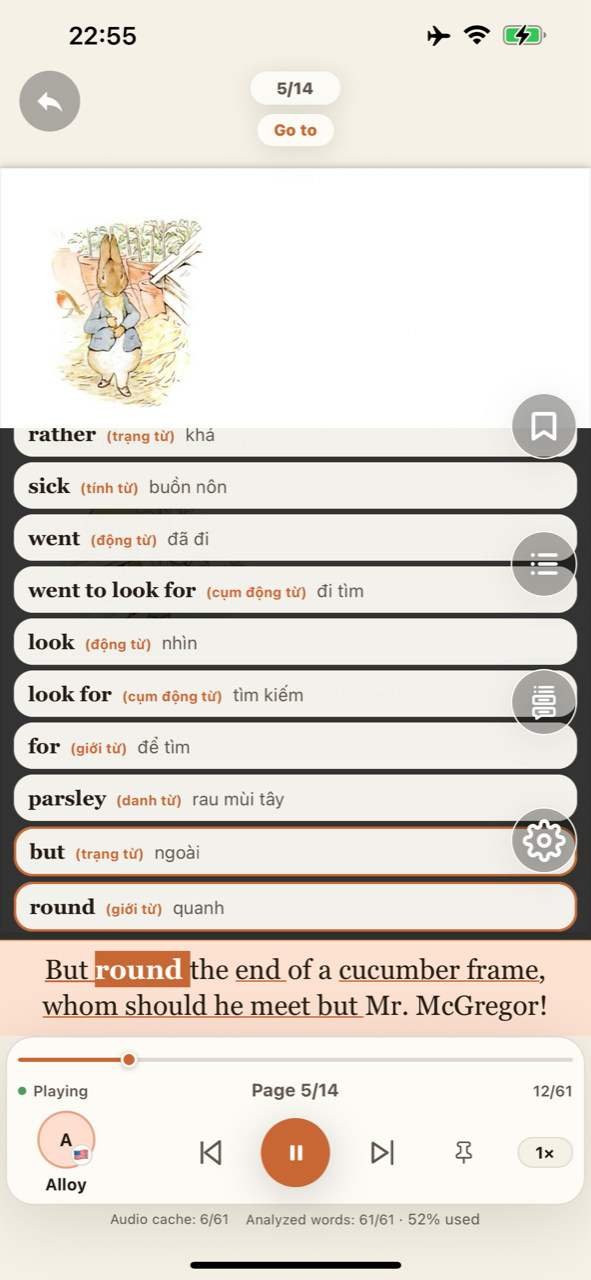
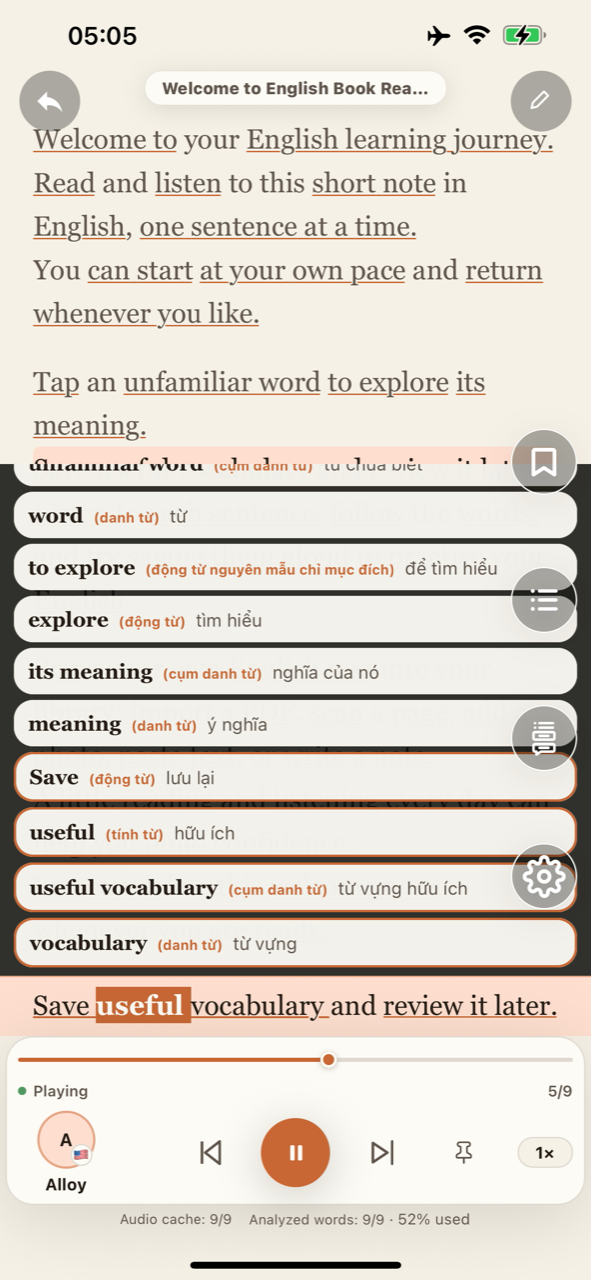
- Follow the sentenceSentence highlighting with optional word-by-word highlighting.
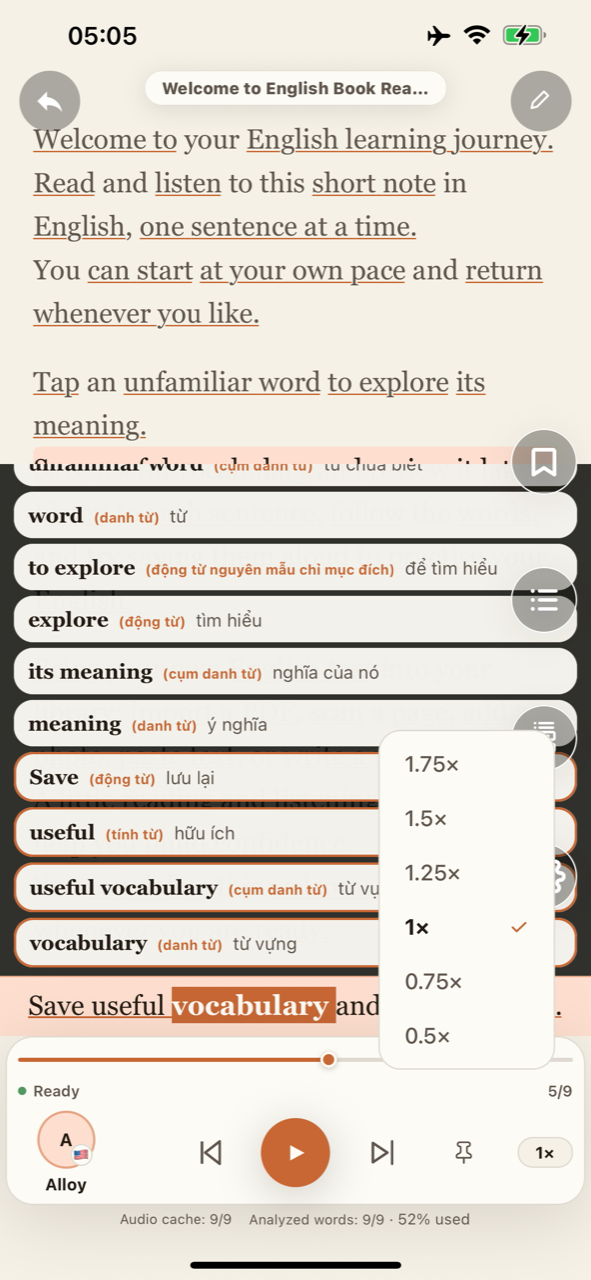
- Comfortable playbackAdjust speed, move between sentences and keep listening in the background.
- Cleaner readingMark repeated headers and page numbers to leave them out of the narration.
- Voices you can choose28 American and British English voices with optional volume boost.
Learn from the sentence in front of you.
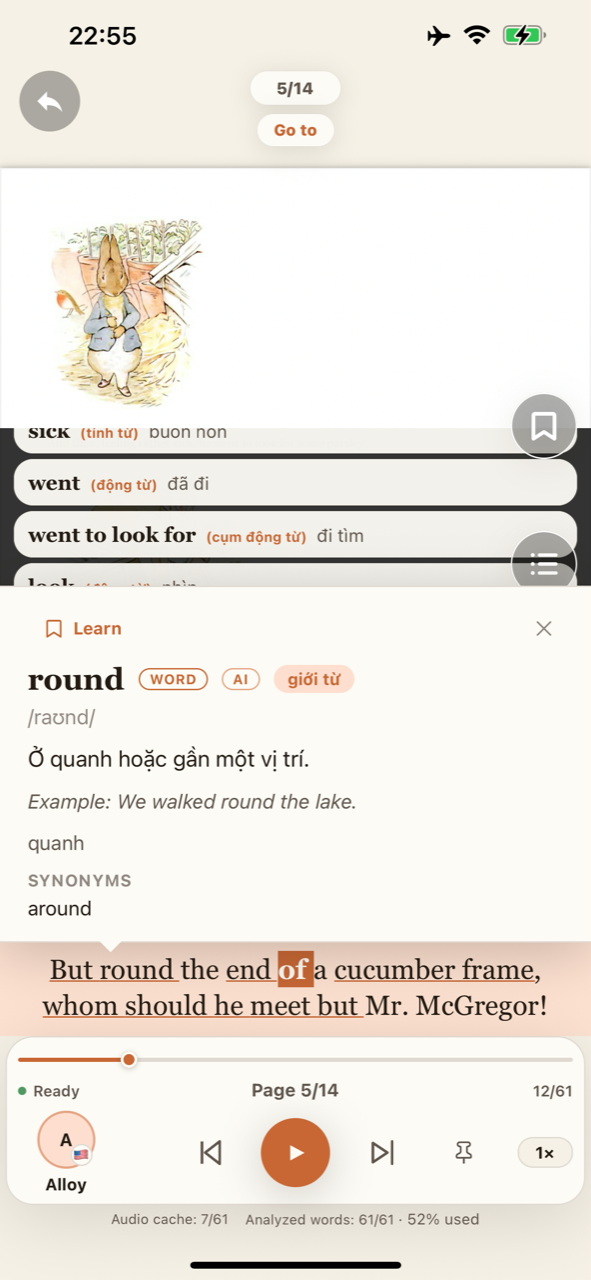
AI analysis explains vocabulary, expressions, translations and grammar in context. Choose your native language and English level so the explanation meets you where you are.
- Meaning and pronunciationUnderstand the sense of a word in this particular sentence.
- Sentence translationsUse your native language as a bridge to English.
- A1-C2 grammar helpExplore how a sentence is built at your chosen level.
- Cards with contextSave the word, expression or grammar point with its source sentence.
Practice grows with your vocabulary.
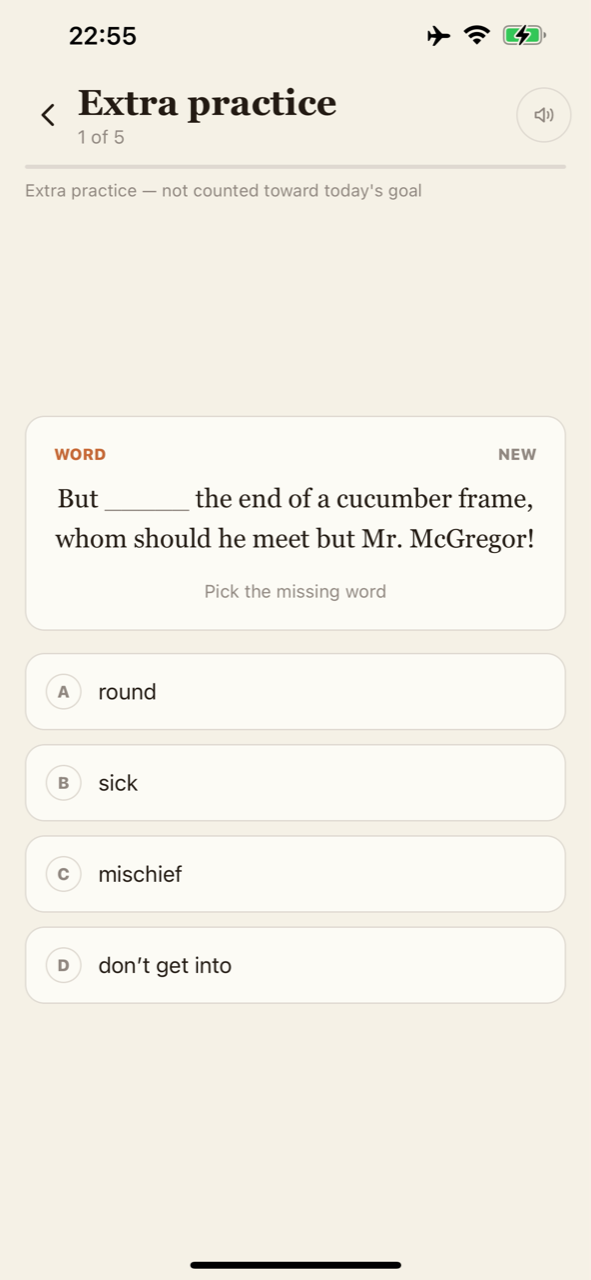
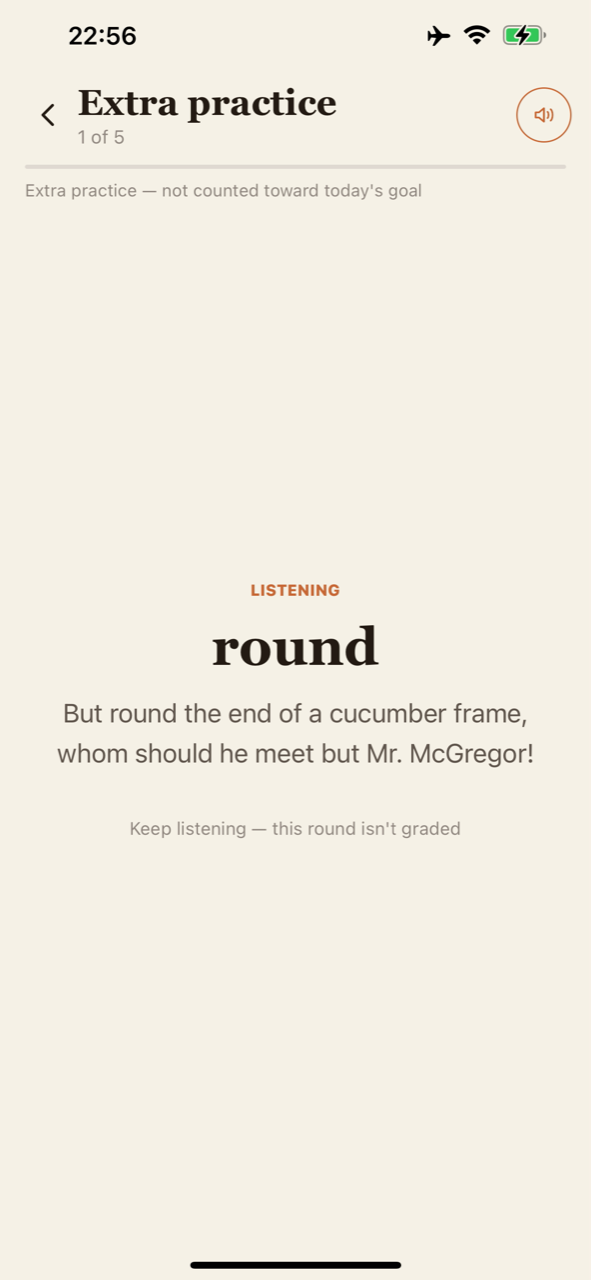
Spaced repetition returns saved cards for review. Practice moves from recognition and sentence completion toward recall, listening and spelling.
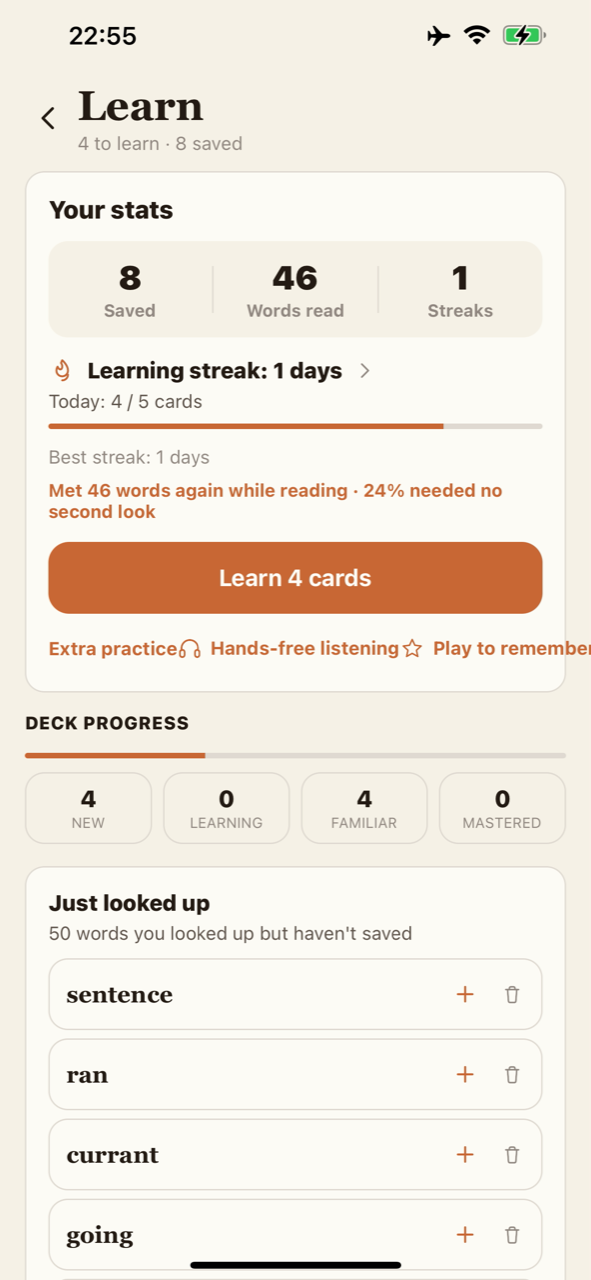
- Daily card goals and streak tracking
- Hands-free practice rounds
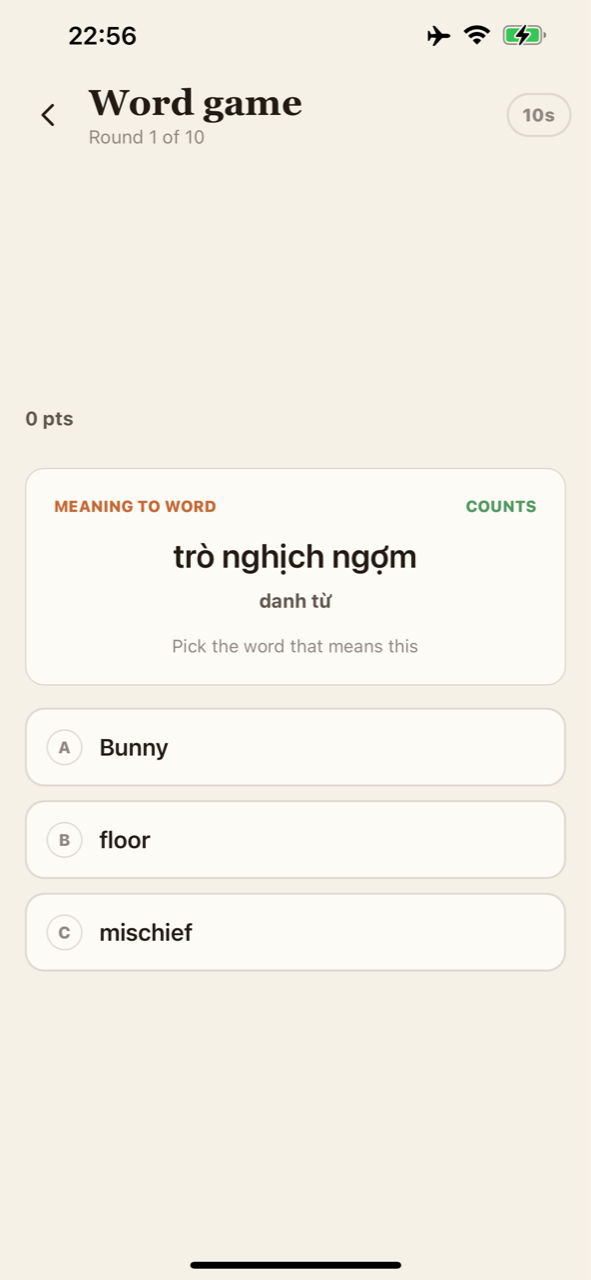
- Learning games and weekly progress recaps
From your page to your practice
See it for yourself.
Real app screens, brought together in a short tour.
The details make it yours
From your library
to your daily practice.
Explore the reading and learning tools through actual app screens.
Bring your own words
A PDF. A photo.
A note of your own.
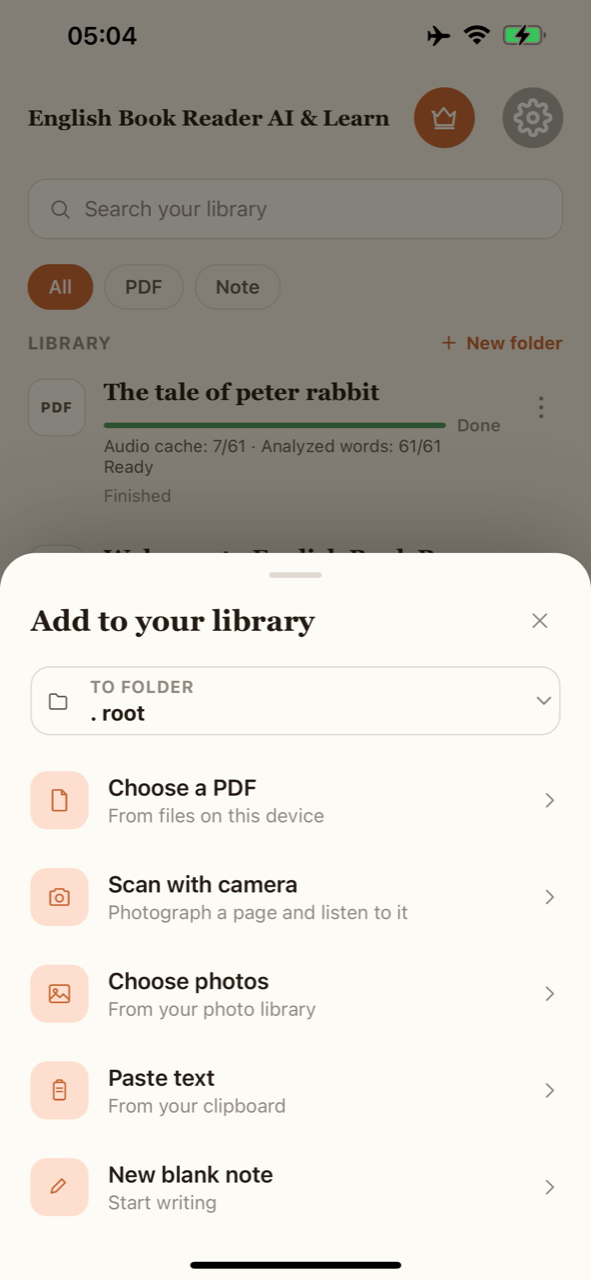
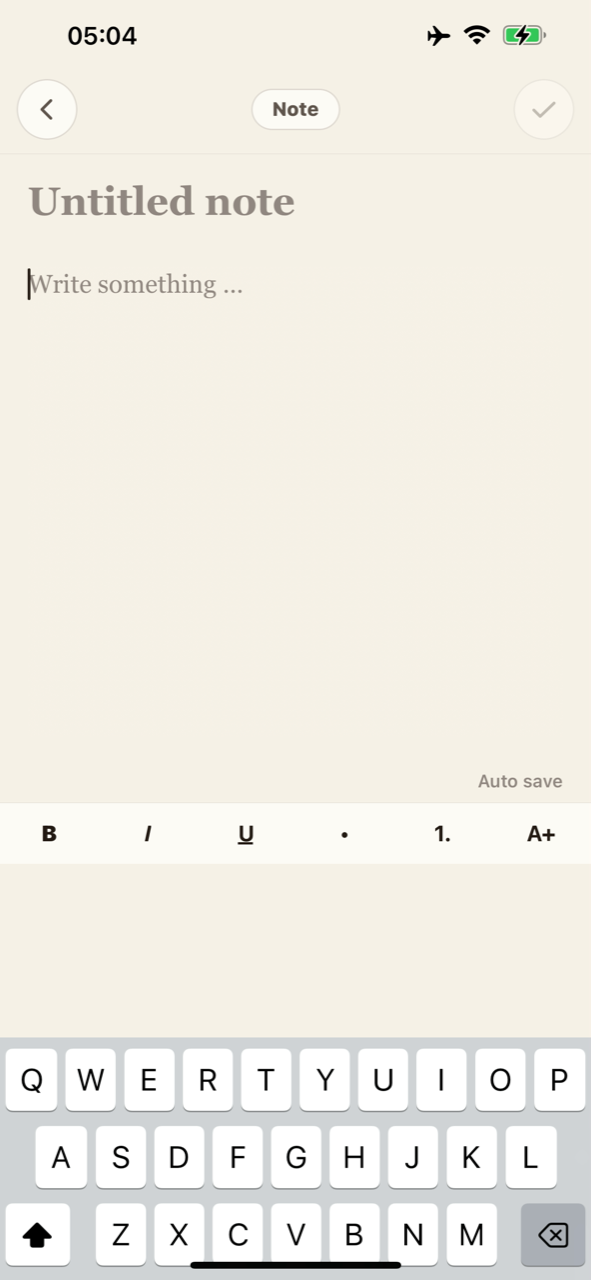
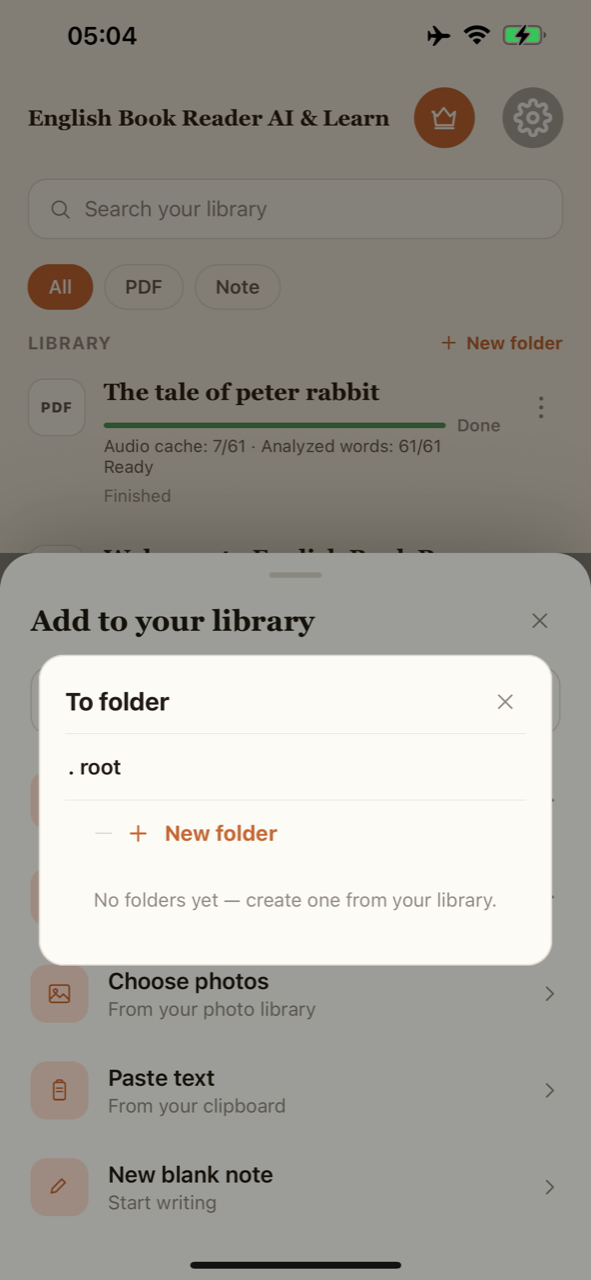
Choose PDFs, scan printed pages, select photos, paste a passage or write a note. The note editor gives your own text a place beside your books.
A personal bookshelf
Keep your reading
in good order.
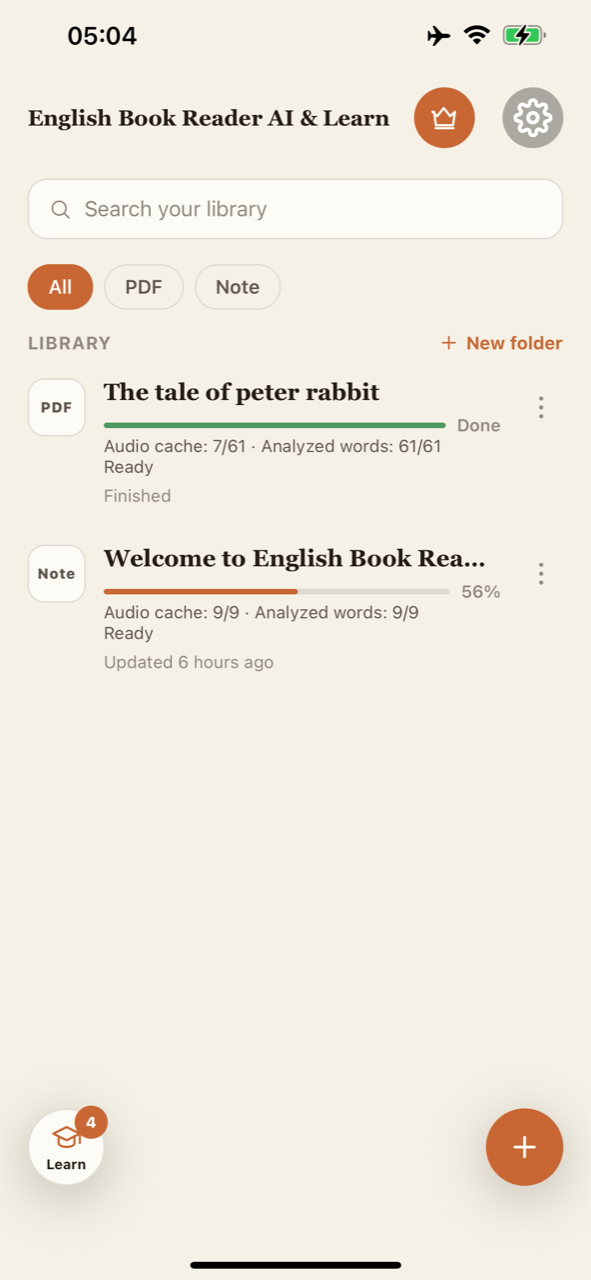
Search your library, filter PDFs and notes, and organize material into folders. Keep your next passage close without turning your bookshelf into a queue.
Your listening pace
Read the text.
Follow the voice.
Listen to your notes and pasted passages as well as PDFs. Follow sentence and optional word highlighting, adjust playback speed, and move between sentences.
Practice beyond the flashcard
A listening round.
A word worth playing for.
Hands-free rounds revisit saved words in their original sentences. Word games add short meaning-to-word challenges to your vocabulary practice. Pick the mode that fits the moment.
Make it a daily habit
A small goal.
Progress you can see.
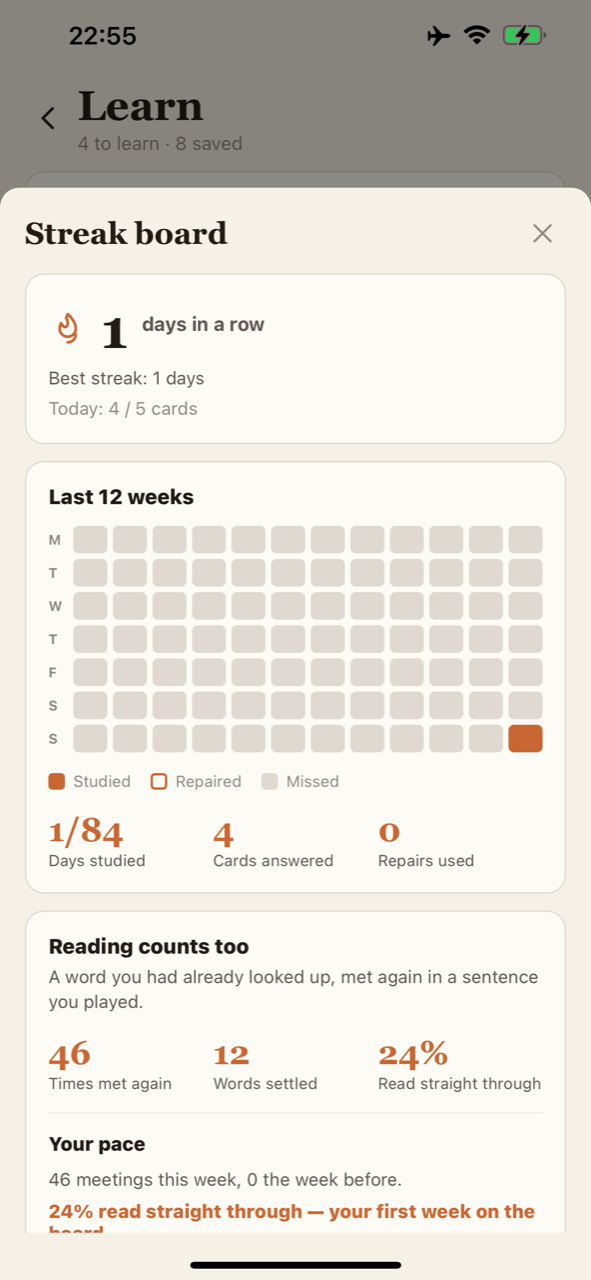
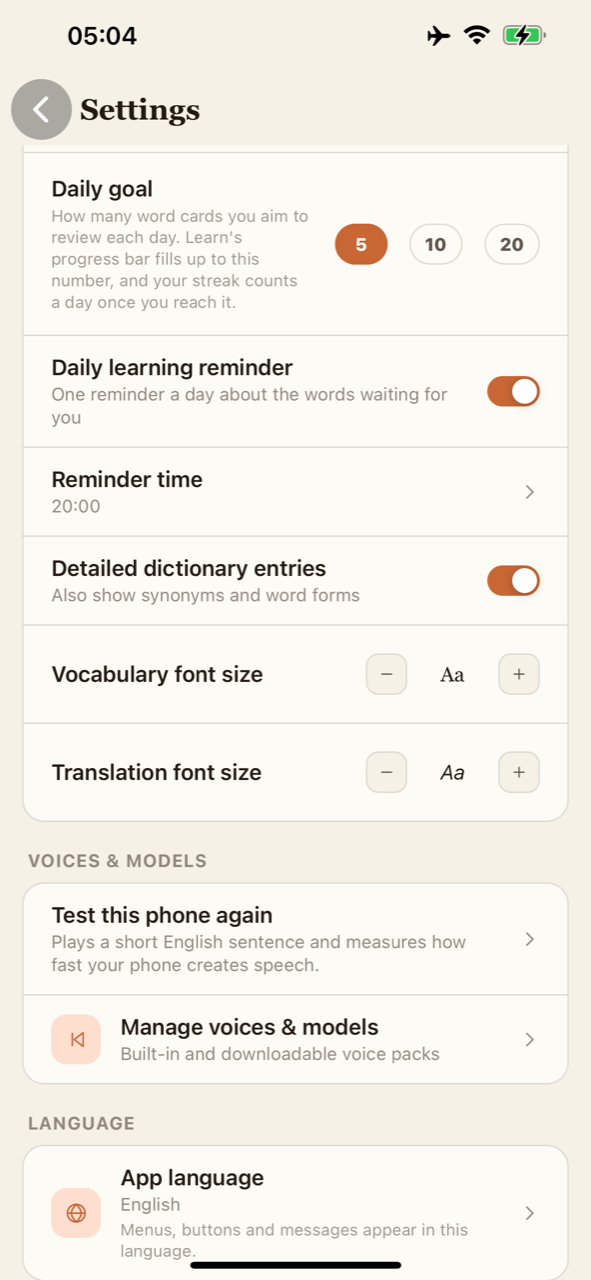
Choose a daily card goal, set a learning reminder, and follow your study streak and 12-week activity board. Adjust vocabulary and translation text sizes to make explanations comfortable to read.
Room for the whole page
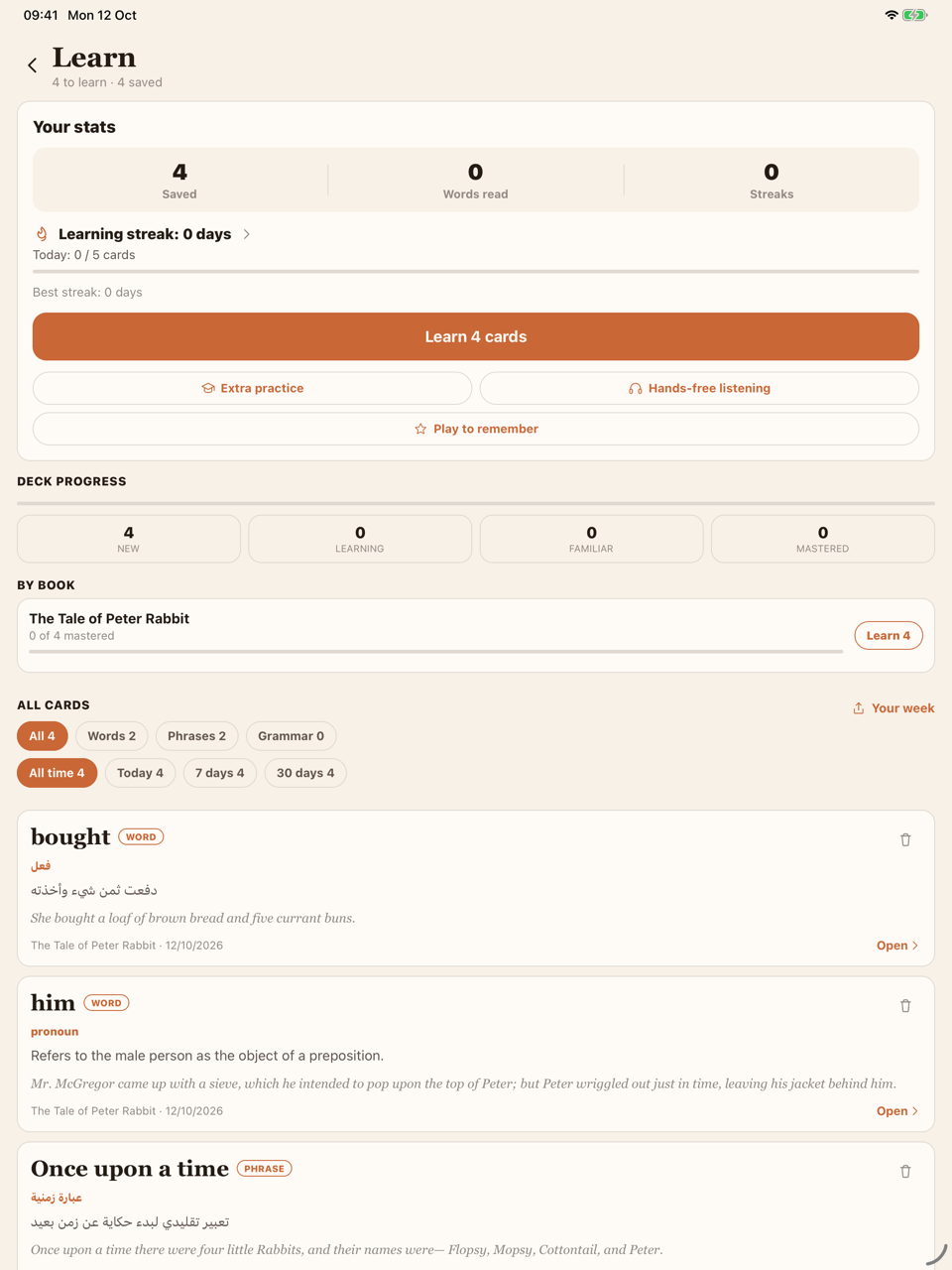
Your learning deck.
On a larger screen.
The iPad layout gives saved vocabulary and practice more room. Keep the original context beside your learning habit, with the same reading-to-review flow.
Your next chapter
starts with a little curiosity.
Read. Listen. Learn English from the pages you love.
 Coming soonApp Store
 Coming soonGoogle Play
Store releases are being prepared. Explore the app and listen to previews today.